1Password Adds Pop-Ups To Flag Phishing Sites
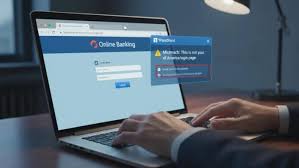
Password manager 1Password has introduced a new built-in phishing protection feature designed to stop users from accidentally sharing their usernames and passwords with scammers. The feature adds an extra layer of protection by warning users when they attempt to paste their login credentials into websites that don’t match the URLs stored in their 1Password vault.
Key Takeaways
- Password manager 1Password has introduced a new built-in phishing protection feature designed to stop users from accidentally sharing their usernames and passwords with scammers
- The feature adds an extra layer of protection by warning users when they attempt to paste their login credentials into websites that don’t match the URLs stored in their 1Password vault
- Recommended web development company in Chandigarh Recommended web development company in Chandigarh (adsbygoogle = window
Password manager 1Password has introduced a new built-in phishing protection feature designed to stop users from accidentally sharing their usernames and passwords with scammers.
The feature adds an extra layer of protection by warning users when they attempt to paste their login credentials into websites that don’t match the URLs stored in their 1Password vault.
Also read: Covered Call Strategy Explained
Also read: What Is Option Trading?
Phishing Scams Are Getting Harder To Detect
Phishing attacks have surged in recent years, driven in part by artificial intelligence (AI) tools that help criminals create polished emails, messages, and realistic-looking fake websites at scale. These often imitate well-known brands and rely on small details — such as a slightly misspelled URL — to trick users into believing they are on a legitimate site.
Why Traditional Protections Aren’t Always Enough
Like other password managers, 1Password already refuses to autofill usernames and passwords on websites whose URLs don’t match the ones saved in a user’s vault. While this helps prevent many attacks, the company says that protection alone isn’t always enough.
In some cases, users assume the autofill failure is due to a technical issue and manually copy and paste their credentials into an unfamiliar or unrecognized website — handing sensitive information directly to attackers.
How The New Phishing Warning Works
To close that gap, 1Password browser extension now displays a pop-up warning when users attempt to paste their credentials into a fake website. The alert prompts users to slow down, double-check the website address, and verify that it is legitimate before continuing.
“It’s easy for a user to miss that extra “o” in the URL, especially if the rest of the page looks convincing,” the company explained, using a typo-squatted Facebook domain as an example. The goal of the pop-up, 1Password says, is to snap users out of autopilot and encourage a second look.
Rollout And Availability
The phishing protection feature will be enabled automatically for individual and family plan users once the rollout is complete. In business environments, company administrators can activate the feature for employees through Authentication Policies in the 1Password admin console.
Survey Highlights Scale Of The Problem
The move comes as phishing continues to pose a serious risk to both individuals and organizations. A recent 1Password survey of 2,000 Americans found that 89% have encountered phishing scams, and 61% said they had been successfully phished. The survey also revealed that 75% of respondents don’t check URLs before clicking links, and most often delete suspicious messages rather than report them.
In the workplace, the stakes are even higher. A single compromised account can allow attackers to move across internal systems, potentially leading to ransomware attacks or large-scale data breaches.According to research cited by 1Password, phishing attacks now cost businesses an average of $4.8 million per incident, while individuals can face drained bank accounts and long-term credit damage.
Communication Remains A Critical Defense
Dave Lewis, Global Advisory CISO at 1Password, said communication and awareness remain critical defenses. “Getting ahead of phishing attacks is all about communication, that’s what disrupts the scammer’s plan,” he said. “The most important thing an employee can do if they receive a suspicious message is tell someone.”
Lewis added that many attacks could be avoided through simple actions, such as asking a colleague to verify a message or immediately reporting suspected phishing attempts to IT teams. Regular training and reinforcement, he said, help employees stay alert when faced with urgent or intimidating messages.
Helpful Protection, But Not Foolproof
While the new pop-up warnings aren’t foolproof — users can still ignore them or manually type passwords — 1Password says the new feature is meant to reinforce good security habits when they matter most.
Recommended Resources
Explore expert services & solutions
Read Web Story: View visual summary